
All Cursor Packs
Browse our full collection of custom cursors. Find your next favorite style and install it for free.
 Cyan Game CursorIce neon Cyan Game Cursor with arcade HUD arrow and hand for Chrome, Edge and Brave.
 Orange Game CursorNeon orange Orange Game Cursor with retro arcade arrow and hand for Chrome and Edge.
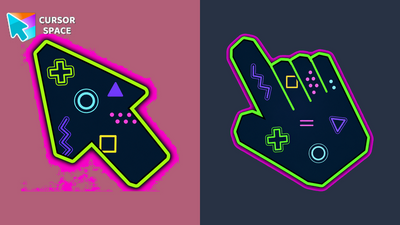 Green Game CursorNeon lime Green Game Cursor with arcade HUD arrow and hand for Chrome, Edge and Brave.
 Green Pixel CursorChunky green 8-bit pixel arrow and hand cursors for Chrome, Edge and Brave.
 Oreo white cursorsUpgrade your interface with Oreo White Cursors. Enjoy a clean, custom cursor design that complements any digital environment.
 Oreo Teal CursorsDiscover Oreo Teal custom cursors for a bold, modern look. Transform your workspace with vibrant, eye-catching designs.
 Oreo Spark Violet CursorsExplore our custom cursor collections, including Oreo Spark Violet. Personalize your Chrome with dazzling designs and vibrant colors.
 Oreo Spark Red CursorsTransform your desktop with Oreo Spark Red custom cursors for Chrome. Add vibrant flair and energy to your digital experience today!
 Oreo spark purple cursorsEnchant your desktop with Oreo Spark Purple custom cursors for Chrome. Add a magical touch to your digital experience today!
 Oreo spark pink cursorsAdd flair to your Chrome with Oreo Spark Pink custom cursors—perfect for a playful digital experience!
 Oreo spark orange cursorsOreo Spark Orange Cursors add a burst of energy and vibrancy to your computer interface, making navigation a visually stimulating experience.
 Oreo Spark Lite cursorsTransform your desktop with Oreo Spark Purple Cursors. Add magic and allure to your interface with captivating custom cursors.
 Oreo spark lime cursorsOreo Spark Lime Cursors add a vibrant, refreshing touch to your desktop with their lively lime color and dynamic design, perfect for a zesty interface.
 Oreo spark light pink cursorsDiscover Oreo Spark Light Pink custom cursors for Chrome. Add a feminine touch to your desktop with these elegant, soothing designs.
 Oreo spark green cursorsExplore Oreo Spark Dark Custom Cursors for a playful twist on Chrome, combining whimsy and charm in every click.
 Oreo spark dark СursorsExplore custom cursor collections featuring Oreo Spark Dark, Star Wars, and more. Personalize your interface today!
 Oreo Spark Blue CursorsTransform your screen with Oreo Spark Blue custom cursors and enjoy a calming digital experience.
 Oreo Red CursorsExplore Oreo Red Cursors for a bold custom cursor experience on Chrome. Add energy and style to your digital workspace today!
 Oreo purple cursorsDiscover custom cursors from Oreo Purple to anime icons. Make your desktop truly yours with our diverse styles!
 Oreo Pink CursorsUpgrade your interface with Oreo Spark Pink Cursors. Enjoy playful, custom designs that add sparkle to any digital space.
Explore cursor packs by style
Cursor Space packs include curated cursor sets for everyday browsing: cute, minimal, anime, neon, pixel art, and more. Each pack comes with multiple cursor states (like default and pointer) and can be added to your browser in seconds.
Trending now
Fresh picks based on what people install most often.
Collections
Browse themed sets grouped by vibe and aesthetic.
Top charts
See weekly, monthly, and all-time leaders.
How to install a cursor pack
- Open any pack from the grid above.
- Click the install / add button on the pack page.
- If you don’t have it yet, install the Cursor Space browser extension.
- Apply the pack in the extension and enjoy your new cursor.
FAQ
Quick answers to common questions about cursor packs, collections, and installation.
Are cursor packs free on Cursor Space?
Most cursor packs on Cursor Space are free to browse and install. Some packs may be marked premium depending on licensing. The Cursor Space browser extension is free to install from the Chrome Web Store.
Do cursor packs work on Chrome and Edge?
Yes. Install the Cursor Space extension for Chromium-based browsers (Chrome, Edge, Brave), open a pack page, and click install/apply. The extension applies the cursor set across your browser.
How do I install a custom cursor pack?
Open the pack page, click the install or add button, install the Cursor Space extension if prompted, then apply the pack from the extension popup. Your new cursor appears immediately.
Can I change or remove a custom cursor later?
Yes. Open the Cursor Space extension, choose another pack, or restore the default system cursor from the extension settings.
Is the Cursor Space extension safe?
Cursor Space is distributed via the Chrome Web Store and Edge Add-ons. Keep the extension updated, and only install packs from trusted catalog pages on this site.